
Create an account with a phone number, an email address or Google, start a new organization or join an existing one, then sign in to the workspace.
Create an account
- Open the sign-in page and choose “Create an account”.
- Pick how to verify: a phone number (mainland China +86 numbers at present) or an email address. You can also choose “Continue with Google”.
- Enter your name, request the 6-digit verification code and type it in.
- Set a password of 8 to 128 characters. Common passwords are rejected.
- Read and accept the Terms of Service and the Privacy Policy.
Start a new organization or join one
You choose an organization when you sign up. An organization is your team: stores, members and points all belong to it.
- New organization: enter a name and continue. A new organization receives a one-time grant of trial points.
- Existing organization: paste the invitation link or code from your admin, check the organization name and continue. You join as a member, and an admin assigns your store permissions.
- If you already have an account, sign in first and then open the invitation link. You do not need to register again.
Sign in
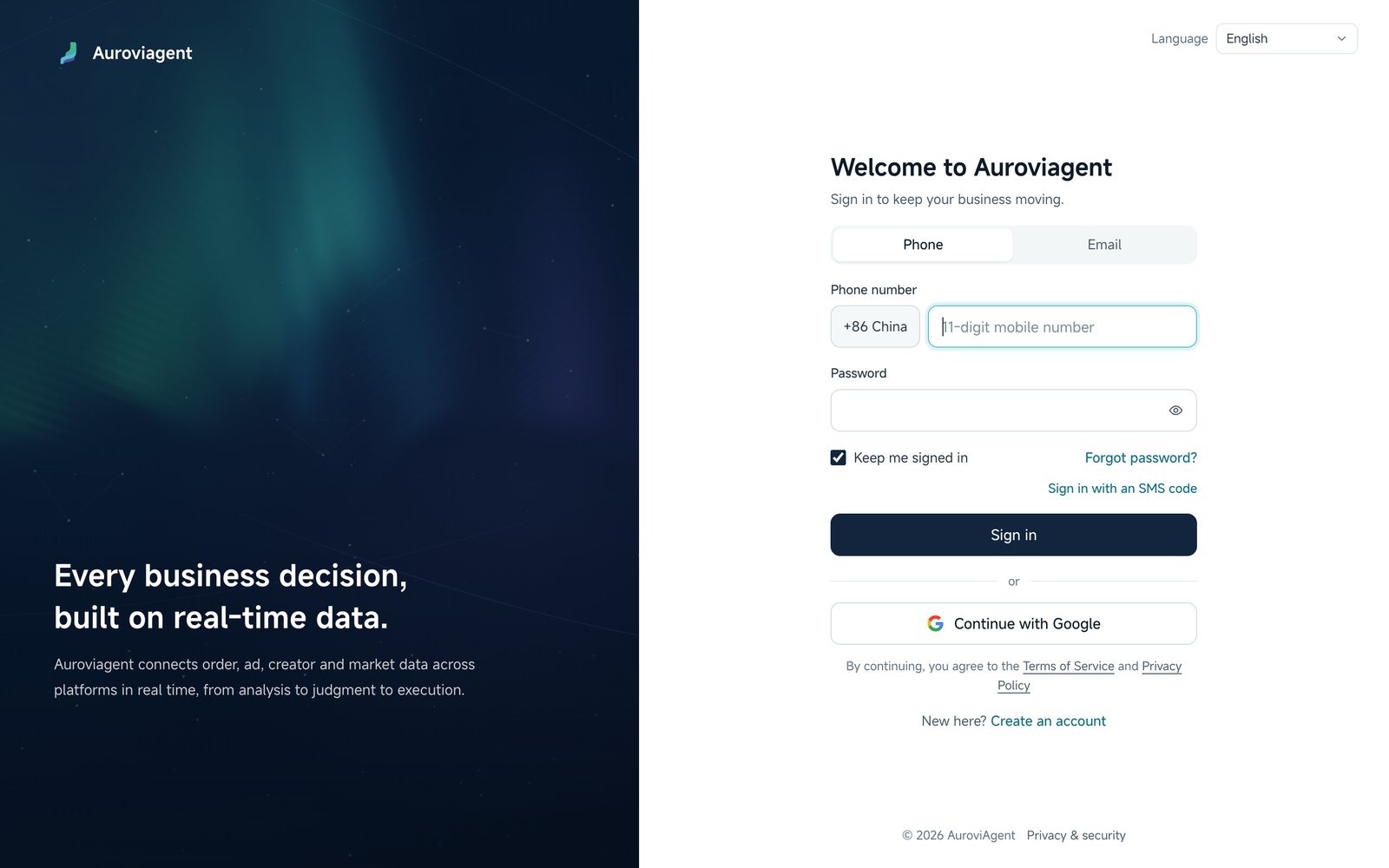
- Phone: your number and password, or “Sign in with an SMS code”.
- Email: your address and password.
- Google: a Google account already linked to your account.
- Tick “Keep me signed in” to go straight to the workspace next time.
Reset your password
Choose “Forgot password?” on the sign-in page, verify a phone number or email linked to the account, set a new password and sign in with it.
Manage sign-in methods
After signing in, open Settings and go to “Account and sign-in” to change your name, link or replace a phone number, email address or Google account, and change your password. Changing the password signs you out on other devices.
Onboarding questions
The first time you enter, Auroviagent asks about your goals, markets and team so it can tailor its suggestions. You can answer later and change your answers at any time in account settings.